Plan Comparison
7 Days of Adventure Content: Is a 10GB eSIM Enough for Outdoor Creators?
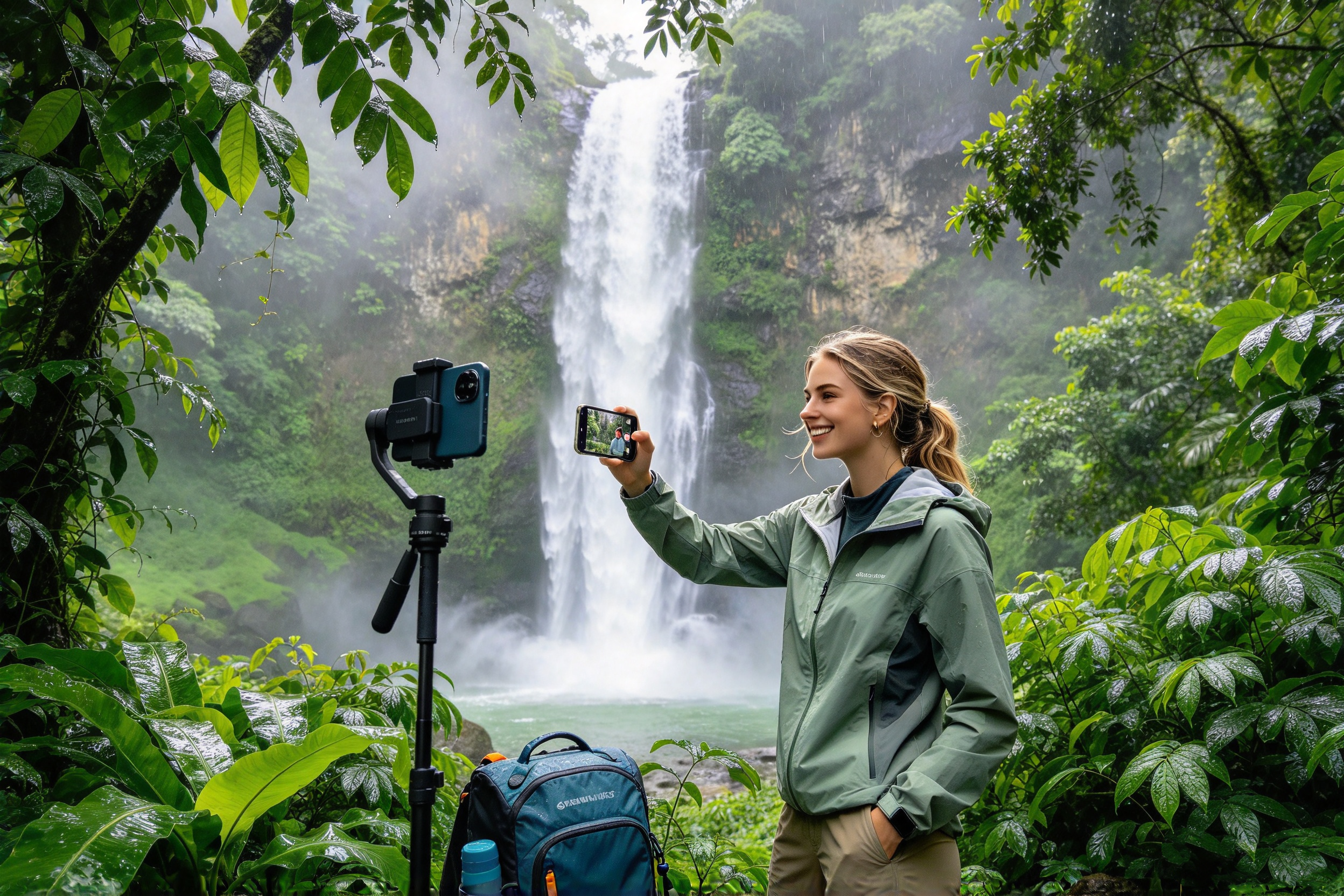
A week-long adventure can give you plenty of material for your next content series. You might share a quick update from the field, go live when something exciting happens, or put together a recap once the trip is over. But creating content on the go takes more than a camera and a good idea. You also need to decide what to publish right away, what to save for editing later, and how to avoid burning through your mobile data before the week is over.
That’s where a little planning goes a long way. If you’re heading out for a seven-day project, a 10GB/7Days eSIM may be worth considering for planned livestreams, short video uploads, and everyday online tasks. The key is knowing what you’ll use it for. Ten gigabytes won’t cover unlimited livestreaming or endless uploads of large video files, but it may be enough for a more selective approach. By matching your data plan to your content schedule before you leave, you can spend less time worrying about your connection and more time getting the shots you came for.
1. Plan Your Content Before You Choose a Data Plan
Before you decide how much data you need, figure out what you want to create during the seven days. Maybe you’re documenting an outdoor challenge, testing a new skill, or following a project from the first attempt to the final result. Having a clear goal makes it easier to decide which moments deserve a livestream, which ones will work as short-form videos, and which clips can wait until you have time to edit them properly.
You don’t need to post everything as it happens. You could start the week with a short introduction, share updates when you make meaningful progress, and wrap things up with a final recap. In between, keep recording and save your footage locally. That way, you can capture the full experience without feeling like you have to stay online every time you pick up your camera.
A 10GB/7Days eSIM may suit this kind of workflow if you mainly need data for selected updates rather than constant uploads. Before buying, list the online tasks you expect to handle during the week. Livestreaming and uploading video will usually take up more of your allowance than sending messages or posting a few photos, so start by estimating those bigger expenses. It’s a much better way to choose a plan than simply assuming that 10GB will be enough because the trip lasts seven days.
Check the plan’s validity rules, too. Some eSIM plans start counting down as soon as they’re activated, while others may follow different rules. Read the terms for the specific plan and make sure the timing works with your departure date. If your phone is compatible and the plan covers your destination, getting everything set up before you leave can save you the hassle of sorting out your connection on the first day of the trip.
2. Save Livestreams for the Moments Worth Sharing
Livestreaming gives your audience a chance to experience an adventure as it unfolds. They can ask questions, react in real time, and follow along as you work toward a goal. But you don’t have to broadcast every minute to make your audience feel involved. Long stretches of waiting, repeated shots, or streams without much happening can use up data without adding much to the experience.
Instead, give each livestream a clear purpose. You could go live to explain the day’s plan, show an important stage of a challenge, or talk through the results at the end. Record the rest of the experience locally and pick out the best moments afterward. You’ll still have plenty of material to work with, without keeping a live connection running just to capture footage that your camera could record on its own.
It also helps to know roughly how much data a stream will use. As a ballpark estimate, streaming at 3 Mbps can consume around 1.35GB per hour, before allowing for overhead or other online activity. Two 45-minute streams at that bitrate would use roughly 2GB. Stream at a higher bitrate, and your data use will climb. Resolution, frame rate, platform settings, and encoding all affect the final amount, so try a short test with your actual setup before you head out.
A 10GB/7Days eSIM could work well if you plan your livestreams rather than broadcasting throughout the day. Just remember that your allowance also needs to cover video uploads, social updates, and anything else you do online. If you’re planning several long streams along with frequent uploads, you may need more data. Before you buy, estimate your total streaming time and compare it with the plan’s allowance. A little math now is better than running short halfway through the week.

3. Keep Raw Footage and Ready-to-Post Content Separate
A full day of filming can leave you with hours of footage, but only a small portion may need to go online right away. Original camera files, alternate takes, and high-resolution recordings are useful when you’re editing, yet uploading all of them over a mobile connection can quickly eat into your data allowance. Automatic cloud backups can make things worse by transferring photos and videos in the background while you’re busy doing something else.
Before leaving, take a few minutes to check your phone’s backup and sync settings. Keep your original files on your camera’s memory card, phone, or another storage device, and organize them by date or project stage. When you’re ready to post, choose the clips you actually need, export a version that works for your platform, and check its file size before uploading. It’s a simple habit that can also save you from uploading the wrong edit and having to send it all over again.
For example, uploading a 500MB video will use roughly 0.5GB of data, not counting extra overhead. Upload four videos of the same size, and that’s around 2GB gone. That may be manageable within a 10GB allowance, but you’ll still need to leave room for livestreaming and other online tasks. Compressing a video can reduce its file size, but don’t sacrifice picture quality unnecessarily. The goal is to avoid waste, not to make every clip look worse just to save a little data.
A 10GB/7Days eSIM is easier to manage when you save mobile data for posts that need to go out while you’re still on the project. Upload a short preview, a standout moment, or a quick progress update, then save larger original files and your final long-form edit for a reliable Wi-Fi connection. Before choosing the plan, think about how much video you typically upload in a week. If your workflow involves moving several gigabytes of raw footage every day, 10GB may not leave enough room for both uploads and livestreams.
4. Give Each Day’s Content a Reason to Be There
Posting every day doesn’t automatically make a compelling series. If each update shows roughly the same thing without moving the story forward, your audience may have little reason to keep watching. A stronger approach is to give each post a job. Use the opening update to introduce your goal, later posts to show the decisions and challenges along the way, and the final piece to explain what happened and what you learned.
This approach also makes it easier to decide when you actually need mobile data. If something important happens on a particular day, a quick livestream or timely update may be worth the data. On a quieter day, you might focus on filming, organizing clips, or planning the next post without uploading large files. You don’t need to force a livestream just because another day has passed.
If you post on several platforms, think about what each one is best suited for instead of uploading the same large video everywhere. You might use one account for quick field updates and another for edited short videos, then publish a longer recap once you’ve had time to review all your footage. Your exact mix will depend on your audience, but having a plan can cut down on duplicated work and unnecessary uploads.
A 10GB/7Days eSIM may be a good fit if you mainly need mobile data for occasional livestreams and selected updates throughout the week. Before making a decision, look at your publishing schedule and identify which posts really need to go live on location. The rest can wait until you’re back on Wi-Fi. If your plan calls for high-resolution uploads every day or hours of live coverage, revisit your data estimate before ordering. A seven-day validity period is useful, but it doesn’t tell you whether the data allowance itself will be enough.
5. Work Out Your Data Budget and Get Ready to Buy
Before buying a plan, put together a quick estimate of how much data your project will need. Start with your expected livestreaming time, then add the videos you plan to upload and their file sizes. Include photos, social posts, messages, and other online tasks, too. It’s also smart to leave some data in reserve in case a stream runs longer than expected or you need to upload something you hadn’t planned for. Using up your entire allowance on scheduled tasks leaves you little flexibility for the rest of the week.
Here’s one example of how a 10GB budget might look: around 4GB for several planned livestreams, 2GB for selected video uploads, 1GB for photos and other posts, and another 1GB for routine online activity. That leaves about 2GB in reserve. These figures are only an illustration, not a promise of how much any creator will use. Your actual needs could be very different depending on your stream settings, video sizes, and usual habits. If possible, test your setup before the trip and use those results to fine-tune your budget.
Before ordering a 10GB/7Days eSIM, make sure your phone supports eSIM and isn’t locked to a carrier that prevents you from using another plan. Check that the package covers your destination, and review its current price, activation process, validity period, and usage terms. Don’t assume hotspot sharing or other specific features are included unless the product details say so. And remember that an eSIM gives your device access to a supported mobile network; it can’t guarantee a strong connection everywhere. Coverage, terrain, network congestion, and your device all affect performance, especially away from populated areas.
If your estimated usage fits within the allowance and the plan’s terms match your trip, head to the official product page, review the details, and complete your purchase before departure. Keep the activation instructions handy and, when possible, test your connection before filming starts. If your calculations suggest you’ll need more than 10GB, compare plans with a larger allowance instead of choosing this one just because the dates line up. The right plan is the one that fits both your schedule and the way you create content.

Final Thoughts: Choose a Plan That Fits Your Creative Workflow
A week-long adventure takes more than a camera and a posting schedule. You’ll also need to decide what’s worth streaming live, which clips should be shared right away, and what can wait until you’re connected to Wi-Fi. Making those decisions ahead of time helps you use your mobile data wisely without letting your connection dictate how you create.
A 10GB/7Days eSIM is worth considering if your project involves planned livestreams, selected video uploads, and essential online updates over a seven-day period. It may be less suitable if you stream for hours every day or regularly transfer large raw video files. Your bitrate, upload sizes, daily habits, and destination coverage all play a part in determining whether the allowance is right for you.
Getting ready for your next adventure? Check the 10GB/7Days eSIM product page, confirm that your device and destination are supported, review the activation rules and current price, and compare the allowance with your estimated data use. If the plan fits your needs, place your order before leaving and set up your device ahead of time. That way, you can start the week with a clear plan for staying connected and spend more of your time capturing the moments that make your adventure worth sharing.