eSIM Basics & Setup
Overseas Internet Guide: 20FAQs on Roaming, Data SIM & eSIM


Part 1: FAQs About Choosing Connectivity Plans

Q1: What Are the Mainstream Ways to Get Internet Abroad
There are three widely‑adopted connectivity solutions:
- Home‑carrier international roaming: Enable roaming directly on your conventional physical SIM. The setup process is straightforward, yet associated service fees tend to be comparatively high.
- Physical data‑enabled SIM cards: Pre‑purchase destination‑specific physical SIMs online and swap them upon arrival. These options deliver solid cost‑performance value.
- eSIM virtual data offerings: No physical card needed. Simply scan a QR code on a compatible handset for activation. You can keep your home SIM active for calls and verification SMS while relying on the eSIM for cellular‑data usage.
Q2: What’s the Difference Between Data‑Only SIMs and Full‑Service Phone SIMs
Data‑only SIM cards deliver cellular‑data access exclusively and do not come with a local phone number. As a result, they cannot receive standard SMS messages or place local voice calls. Full‑service phone SIMs come bundled with voice calling, SMS messaging and data allotments.
If you rely mostly on messaging platforms such as WeChat or WhatsApp for communication, a data‑only SIM will satisfy the majority of your travel‑related needs. Travellers who require local SMS verification codes or need to call local businesses may opt for full‑service phone SIMs.
Q3: Do I Need Real‑Name Registration to Purchase Data‑SIM Cards or eSIMs
Registration requirements vary depending on local telecom regulations in each destination. Certain regions such as Singapore, Malaysia and Hong Kong enforce mandatory identity registration for SIM cards. Some European markets and travel‑focused eSIM offerings can be activated with zero identity verification.
For LemonSIM, most of our travel‑focused physical SIM and eSIM offerings require no credit check. Since these are prepaid plans paid upfront, you will not undergo any credit‑history assessment during purchase.
Q4: Which Is More Suitable: eSIM or Conventional Physical SIM
If you carry a recent‑generation iPhone or flagship Android handset with native eSIM support, eSIM offerings deliver great convenience. They remove the hassle of swapping physical cards and support dual‑SIM functionality, letting you keep receiving domestic banking and platform verification SMS.
Conventional physical SIM cards stay a dependable fallback choice for handsets lacking eSIM compatibility, or for users who value broad hardware‑device compatibility above all else.
Q5: How to Pick Plans for Short Trips and Long‑Term Overseas Stays
For short‑duration trips (1‑15 days): Cost‑effective short‑term eSIM and conventional physical‑SIM bundles deliver ready‑to‑use connectivity right away.
For extended business travel or overseas study stays (over 15 days): Multi‑country‑compatible plans with stable network performance and hotspot‑sharing capability are highly recommended. LemonSIM supports online data top‑ups, saving you from frequent physical‑SIM swaps.
Q6: Do I Need to Purchase a Separate SIM for Every Country on Multi‑Nation Itineraries?
Not necessarily. Regional bundles such as European and Asia SIM solutions, consolidate network profiles for numerous territories. They automatically register on local partner telecom networks once you land, making them well‑suited for cross‑border travel.
Part 2: FAQs About Activation & Network Settings
Q7: Key Pre‑Purchase Checks to Avoid “No Service” Issues After Arrival
“No Service” ranks among the most frequent travel‑related network headaches. You can greatly reduce this risk by verifying the following points before you place your order:
Even with proper pre‑purchase checks, you may still encounter network‑registration failures after touchdown. If “No Service” still appears, try these on‑site troubleshooting steps:
- Confirm your handset is carrier‑unlocked and your device model is officially compatible with the SIM / eSIM product you intend to buy.
- Check physical‑SIM installation requirements: make sure you can seat the card fully with correct orientation once you land.
- Turn on Data Roaming inside your handset’s cellular settings
- Enter the correct APN to “PLUS” within your mobile network settings
- Toggle Airplane Mode off and on again to trigger network re‑registration
Q8: I Have Signal but Cannot Load Websites — What Should I Do
This issue most often stems from incorrect APN (Access Point Name) configurations. Enter the correct APN credentials provided in your SIM‑card documentation, then toggle Airplane Mode on and off to trigger network re‑provisioning. In most cases, cellular‑data connectivity will resume.
Q9: Is Data Roaming Required When Using Foreign Physical Data‑SIM Cards
Yes. Even with a local‑market SIM, your handset classifies non‑home‑carrier networks as roaming networks. Cellular‑data access will be blocked if Data Roaming remains disabled.
Q10:Why Is My Connection Slow and Prone to Frequent Disconnects?
Two key factors cause poor connection performance:
- Weak cellular coverage at your physical location (basements, remote suburban zones). Moving toward windows or open outdoor areas can improve signal strength.
- An active mobile hotspot. Most plans enforce bandwidth restrictions for multi‑device sharing. Disabling the hotspot and using only one device will deliver noticeably faster speeds.
Q11: “No Service” Still Appears Even After Rebooting My Handset
Your SIM may not complete the full activation provisioning process. Please go through the official activation procedure again for verification. Reboot your handset and perform a manual search for local carrier networks. If the issue still carries on, reach out to merchant‑support staff to double‑check your SIM activation status.
Part 3: Advanced Usage & Data-Saving Tips
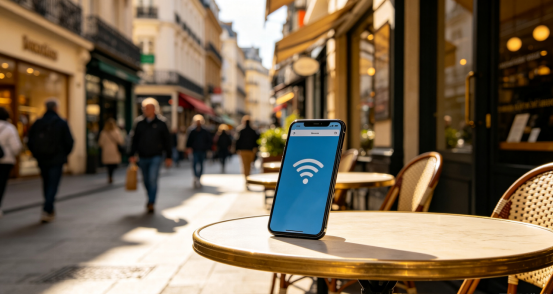
Q12:Do Travel‑Focused Data SIM Cards Support Mobile Hotspot
Most conventional physical SIM cards and selected eSIM offerings support hotspot functionality. Bandwidth gets shared across all connected devices, and many plans apply speed throttling once hotspot is enabled. Travellers with multiple devices to connect should confirm hotspot compatibility before purchase.
Q13: Other Devices Cannot Connect to My Hotspot — How Can I Resolve This
- Double‑check whether the hotspot password has been entered correctly.
- Confirm you have not exceeded the maximum allowed number of connected devices defined within your plan terms.
- Disable any VPN or proxy software running on your handset; these tools commonly interfere with hotspot network distribution.
Q14: Will My Home‑Country SIM Still Work Overseas?
It functions normally only if you enable international roaming via your home carrier before departure. The domestic SIM is mainly used for receiving free verification SMS. Markets including the United States, Japan and Australia have gradually phased out legacy 2G / 3G infrastructure. Older SIMs without 4G VoLTE support may lose voice‑call capabilities in these destinations.
Q15: How Can I Avoid Rapid Data Over‑Consumption?
Adjust the settings below to manage data usage while travelling:
- Turn off automatic app‑store updates and background downloads.
- Disable auto‑sync for photo galleries and cloud‑storage services.
- Manually lower video‑streaming playback resolution to block default 4K streaming.
- Set a complex hotspot password to prevent unauthorised data usage by third‑parties.
Q16: Can I Purchase Extra Data After My Data Allotment Is Used Up?
Absolutely. For LemonSIM users, top‑up services are supported for our eligible travel‑focused eSIM and conventional physical‑SIM offerings.
Q17: Are There Data‑Leakage Risks When Using Overseas Data‑SIM Productswhen using overseas data SIMs?
LemonSIM‑purchased conventional physical SIM and eSIM offerings follow local‑carrier‑grade data‑encryption standards, with baseline network‑security protection supplied by partner telecom operators.
Unlicensed and unregistered anonymous SIM cards are strongly discouraged. These unregulated products often deliver unstable network performance and may bring potential security vulnerabilities.
Part 4: After-Sales Support & Troubleshooting FAQs
Q18: Top‑Up or Additional‑Bundle Purchase Failed — What Should I Do?
Verify that you have entered the correct ICCID printed on your SIM card. Also confirm that your payment method works properly with no pending issues.n your SIM card.
Q19: Am I Eligible for a Refund If I Buy the Wrong Plan or Top‑Up the Wrong Number
Refunds are generally unavailable once funds have been successfully credited to a valid ICCID. Please carefully verify the destination country, service duration and handset compatibility before completing your checkout to prevent ordering mistakes.
Top‑ups submitted to invalid or non‑existing ICCIDs will normally qualify for automatic refunds.
Q20: Where Can I Get Help for Unresolved Network Issue
Reach out via LemonSIM help centres or email to obtain technical guidance for activation or connectivity failures, and prevent network disruptions from ruining your trip.ions from lost internet.
Conclusion: Stay Connected On Your Overseas Trip
Picking suitable connectivity solutions before departure lowers the risk of losing internet access mid‑journey. This FAQ guide serves as a practical reference for cross‑border travel and helps you maintain stable cellular‑data access throughout your trip.
If you run into eSIM activation failures, sluggish network speeds or hotspot‑related malfunctions, head over to our eSIM Installation & Troubleshooting Hub for step‑by‑step fixes. You may also check our articles for extra travel‑connectivity tips.
To compare data plans of different durations and regional coverage, visit Worldwide Travel eSIM Plans and select the option aligned with your travel itinerary.