eSIM Basics & Setup
The Complete eSIM Guide: Core Concepts, How It Works, and Frequently Asked Questions
-1.png)
Introduction: How eSIM Is Changing the Way We Connect to Mobile Networks
As smartphones, tablets, and smart devices continue to advance, our approach to mobile networking is evolving right along with them. SIM technology has consistently progressed toward simpler, more flexible connection management: from the oversized physical SIMs of the early days, to the Nano SIMs widely used today, and now to the rapidly growing eSIM standard.
Physical SIM cards have long served as the mainstream solution for linking devices to cellular networks. Traditionally, users select a carrier plan, insert a physical SIM chip into their device, and complete identity verification to activate mobile service. While reliable, this process is highly inconvenient when swapping devices, switching carriers, or adjusting your mobile plan. eSIM revolutionizes this experience by integrating SIM capabilities directly into device hardware and managing network services through digital profiles, enabling users to set up mobile connections without any physical SIM replacement.
It’s critical to clarify that eSIM is not a new network technology, nor does it deliver faster internet speeds by default. It only reshapes how SIM data is stored and managed. Actual network performance still relies on carrier coverage, device specifications, and your chosen data plan. With eSIM support now built into the majority of modern devices, it has become a core part of the future of mobile connectivity. Gaining a clear understanding of eSIM functionality and resolving common doubts helps users make more informed choices when selecting and maintaining their mobile services.

Section 1: What Is eSIM?
Before picking an eSIM plan or making the switch from a physical SIM card, it pays to understand exactly what eSIM is and how it functions. While eSIM‑capable hardware is growing increasingly common across smartphones and smart devices, plenty of users still wonder how it compares to physical SIM cards and what real‑world shifts it brings to day‑to‑day cellular connectivity.
In this section, we break down eSIM by answering key questions: what eSIM actually is, why this technology was developed, how it stacks up against conventional SIM cards, and what benefits it offers end‑users. Grasping these fundamentals will give you a much clearer picture of how eSIM operates and why it has become a cornerstone of modern mobile networks.
eSIM is short for Embedded SIM. Put simply, it is digital‑SIM technology baked directly into your device. Functionally, eSIM and conventional SIM cards serve the exact same goal: both store user identity credentials and let devices connect to a carrier’s cellular network. The core difference lies in how this data gets stored. Conventional SIM cards use a physical chip, whereas eSIM integrates SIM functionality right into the device hardware.
A standard SIM card is a separate physical chip that must go into a device’s SIM slot to activate mobile service. When you buy a mobile plan, the carrier imprints required identity data onto the physical SIM. Your device then reads this data to authenticate the network connection. With eSIM, there is no physical card to insert or swap out. After purchasing a service plan, users obtain a digital profile from their carrier, which gets installed directly on the device. To put it another way, eSIM does not alter how mobile networks operate. It only transforms how SIM‑related data is stored and managed. eSIM therefore represents a digital evolution of legacy SIM technology, delivering a simpler, more flexible way for users to handle their cellular services.
eSIM’s development goes hand‑in‑hand with shifting hardware design trends for modern‑day devices. Today’s smartphones, smartwatches, tablets and smart gadgets keep getting slimmer, more compact and more tightly integrated internally. Even though physical SIM cards have shrunk all the way from full‑size SIMs down to tiny Nano SIMs, they still demand a physical slot, card tray, and valuable internal hardware space inside the device.
For hardware manufacturers, ditching the physical SIM slot frees up space for internal design upgrades and brings far more flexibility when building compact hardware. This benefit matters most for smaller connected gear like smartwatches and other wearables.
For mobile carriers, eSIM unlocks a more efficient workflow for managing network services. Physical SIM cards involve manufacturing, shipping, stock‑keeping and physical logistics. By contrast, eSIM lets carriers provision and activate services digitally via remote over‑the‑air configuration.
For end‑users, the biggest upgrade comes down to convenience. Switching mobile services no longer means waiting for a new physical SIM or manually swapping out cards. You can add a brand‑new mobile plan straight from your device settings.
That said, eSIM is more than just a drop‑in replacement for conventional SIM cards. It is a technology built to meet rising demand for more flexible, fully‑digital cellular connectivity.
The most fundamental distinction between eSIM and conventional SIM cards lies in how network‑identity credentials are stored.
Conventional SIM cards hold user data on a standalone physical chip. When users switch carriers or update their mobile plans, they usually need a brand‑new SIM card. eSIM, by contrast, stores this information on a secure chip embedded inside the device and leverages digital profiles to handle various cellular network services.
This shift moves cellular connectivity away from “swapping physical hardware” and toward “updating digital settings.” Users can add, delete, or toggle between mobile services directly on their device, with no physical‑card handling required.
That said, eSIM and conventional SIM cards follow nearly identical authentication workflows when connecting to cellular networks. Both require the device to verify its identity against the carrier’s network before gaining access to mobile services.
Accordingly, eSIM is not a completely new communications technology. It represents a more modern approach to managing SIM functionality. It preserves the core purpose of physical SIM cards while making cellular connectivity simpler, quicker, and more adaptable.
eSIM functionality relies on multiple elements working together seamlessly. While installing an eSIM only takes a few simple steps in your device settings, the underlying technology consists of three core components: your device hardware, digital eSIM profiles, and the carrier’s network infrastructure.
The first component is the onboard eSIM chip. Built directly into your device, this secure embedded chip stores all network connection data. Unlike a traditional SIM card, it is permanently integrated and cannot be removed or replaced manually.
The second component is the digital profile. This set of core data enables eSIM network access. Created and issued by carriers or eSIM service providers, the digital profile must be downloaded and installed after purchasing a plan. Once activated, it authenticates your device and establishes cellular connectivity.
The third component is the carrier’s backend management system. Since eSIM eliminates physical SIM cards entirely, carriers rely on cloud-based backend systems to generate digital profiles, authorize installations, and deliver remote service management.
These three components work in tandem to power the entire eSIM ecosystem, shifting mobile connectivity away from rigid physical SIM management toward a streamlined, fully flexible digital system.
Digital profiles represent one of the most notable distinctions between eSIM and conventional SIM cards.
Put simply, a digital profile is a package of digital‑network identity credentials supplied by your carrier. For physical SIM cards, this data gets burned onto the physical chip at the manufacturing stage. For eSIM, the same credentials are installed digitally on your device when you activate your mobile service.
After buying an eSIM plan, users obtain the installation credentials. Your device uses these details to reach the correct server and pull down the matching digital profile. Once the profile finishes installing, the device’s embedded eSIM chip holds all the data needed to connect to that cellular network.
One common misconception worth clearing up: a QR code is not the eSIM itself. The QR code merely offers a convenient shortcut for your device to locate and download the right profile. The actual data that enables network access is the digital profile stored locally on your hardware.
Traditional SIM cards tightly bind your mobile service to physical hardware. Switching carriers, changing plans, or accessing new networks while traveling typically requires purchasing and manually swapping out a new SIM card.
eSIM transforms this entire process into a fully digital workflow. Users can add new cellular services directly through their device settings — no waiting for physical SIM deliveries and no need to open the SIM tray.
This digital model aligns far better with modern device trends. For users who own multiple gadgets, travel frequently, or need temporary connectivity, eSIM delivers significantly greater flexibility and convenience.
That said, the quality of your eSIM experience still depends on several key factors: device compatibility, carrier support, and available plan options. Not all smartphones or smart devices support eSIM, and not all mobile services offer eSIM activation. For this reason, checking device eligibility and service coverage remains an essential step before purchasing an eSIM plan.
eSIM compatibility spans a broad lineup of hardware, including smartphones, tablets, smartwatches, and other smart connected gadgets. Smartphones remain the most common way for everyday users to experience eSIM‑based connectivity.
eSIM support does not depend purely on a device’s brand or product line. It is determined by exact hardware specifications and the regional market where the unit was sold. Identical product lines can ship with different hardware variants across countries, driven by local regulatory requirements and carrier partnerships.
For this reason, checking only a brand or product name is not enough to confirm eSIM readiness. The most reliable approach is to look up your precise model number and cross‑reference against official manufacturer specifications.
Beyond smartphones, eSIM adoption keeps growing across more connected hardware. As demand rises for wearables and mobile‑focused gear with standalone cellular connectivity, eSIM usage is expected to keep expanding further.
There are two reliable methods to verify whether your device works with eSIM: checking directly within device settings, or reviewing the manufacturer’s official product specifications.
The quickest approach is to head into your device’s cellular network settings and look for menu items like “Add eSIM”, “Add Mobile Plan”, or comparable options. If your hardware supports eSIM, the system will typically display an option for adding new cellular service.
You may also cross‑check the official specs published by the device maker to confirm eSIM support for your exact model.
One key point to keep in mind: owning an eSIM‑ready device does not guarantee compatibility with every eSIM service. Successful eSIM activation depends on three matching conditions: compatible device hardware, up‑to‑date software, and an eSIM service provider or carrier that works with your unit.
Verifying device eligibility and service availability before buying an eSIM plan helps deliver a much smoother activation process.

Section 2: How eSIM Works — From QR Code Installation to Mobile Network Connection
Once you grasp eSIM’s core fundamentals, walking through how it operates helps clarify how phones gain cellular access without a physical SIM card. From the end‑user standpoint, eSIM setup is generally simple: buy your plan, scan a QR code or input your activation credentials, follow on‑device prompts, and enable mobile data to get connected.
Beneath this user‑friendly workflow lies coordination across multiple systems: device software, carrier servers, digital profiles, and network‑authentication protocols. Physical SIM cards store network credentials on a removable chip. By contrast, eSIM leverages remote provisioning to download and install carrier‑issued digital profiles straight to the device’s embedded eSIM chip.
You can break the full procedure down into a handful of key stages: the device receives activation data, fetches the matching network profile, finishes installation and carrier authentication, and finally establishes a cellular connection. Users only complete a small number of manual setup steps; all remaining configuration happens automatically behind the scenes between your device and the carrier’s backend systems.
eSIM activation is far more than just toggling on a cellular network setting. It represents a digital configuration workflow executed between your device and the carrier’s backend systems. While users only interact with a handful of visible steps — like scanning a QR code or following on‑screen setup prompts — multiple background operations must finish before a stable network connection is established.
Once you purchase an eSIM service, your provider delivers activation credentials that let your device locate and pull the proper network configurations. Your device contacts the provider’s server and downloads the corresponding digital profile. Following security validation, this profile gets securely written to the device’s embedded eSIM chip. Your phone’s operating system then detects the new cellular line and readies it for network access.
When setup finishes, the device submits an authentication request to the carrier network. After the carrier validates your device details and active‑service status, mobile‑data connectivity is unlocked. This overall workflow mirrors the connection sequence for physical SIM cards. The key distinction is that credential storage and authentication now happen digitally between hardware and carrier backend systems, rather than relying on a physical SIM chip.
QR codes are today’s most widely‑used method for eSIM installation, yet they are not the eSIM itself. Many users mistakenly believe scanning a QR code finishes the full eSIM activation. In truth, the QR code merely kick‑starts the installation workflow. It holds reference data that lets your device reach the server and pull up the correct digital profile.
When you scan the QR code, your device parses this data and establishes a connection to the service provider’s server. After the request passes validation, the server transmits the required digital profile down to your hardware. A QR code does not store full SIM credentials and cannot grant direct network access. Your actual cellular connectivity depends entirely on the digital profile installed locally on the device.
This explains why discarding a used QR code generally has no impact on an already‑provisioned eSIM. By contrast, removing the eSIM profile from your device will disable the service.
Digital profiles stand as the core building block of eSIM technology. Physical SIM cards have their network credentials burned onto the chip at the manufacturing stage. eSIM, on the other hand, enables network configurations to be pulled remotely whenever they are needed.
During installation, your device establishes contact with the service provider’s server and validates the request before fetching the target digital profile. Once the download finishes, the profile gets securely saved onto the device’s embedded eSIM chip and serves as the key credentials for cellular‑network access.
Since this procedure relies on server communication, users are generally recommended to set up eSIM over stable Wi‑Fi. Should your connection drop mid‑download, installation can abort, or the profile may become improperly configured.
Even after a digital profile finishes installing, your device still has to pass carrier‑side authentication before gaining cellular‑network access. A phone cannot connect automatically just by picking up a signal. The carrier must validate the device’s identity and confirm that the user holds an active service plan.
When establishing a connection, the device reads credentials stored within the eSIM and submits an authentication request to the carrier’s network. Once the carrier’s backend systems validate this data and confirm active‑service status, the device is granted access to cellular services.
This authentication workflow mirrors that of physical SIM cards. The primary distinction lies in how identity data is stored: conventional SIM cards keep credentials on physical hardware, whereas eSIM stores and manages these details digitally via its on‑board chip and digital profiles.
Once authentication finishes, your device is ready to use cellular‑data services. The phone’s wireless hardware scans for available networks and connects to the matching carrier according to your eSIM configuration. Once the link is established, users can access the internet over the cellular network.
It is critical to note that eSIM generates no signal on its own and does not boost network speeds. It only alters how network‑identity credentials are stored and administered. Real‑world network performance hinges on carrier coverage, underlying network quality, supported device frequency bands, and your selected data plan.
Accordingly, your overall connectivity experience with eSIM is driven primarily by the underlying cellular network — not the eSIM technology itself.
One of eSIM’s key advantages over conventional SIM cards lies in its ability to handle multiple network profiles digitally. Physical SIM cards typically hold credentials for only one carrier service, so users must obtain a new physical card whenever they switch networks. eSIM lets several digital profiles reside on a single device, greatly simplifying how you add and manage separate cellular services.
That said, how many profiles your device can store, and whether multiple lines can run simultaneously, are determined by your hardware and system capabilities. Different phone models offer varying degrees of multi‑line support.
Accordingly, even though eSIM delivers far more flexible network management, your real‑world experience is still constrained by what your device is capable of.
With eSIM gaining wider adoption, an increasing number of smartphones support hybrid dual‑SIM operation: pairing a physical SIM card alongside an eSIM. This setup lets users maintain two separate cellular lines on one device — for instance, keeping your existing physical SIM while adding an eSIM for a second network service.
Your system handles each line independently, so you can select which account to use for mobile data or voice calls. Dual‑SIM functionality brings significant flexibility for travelers, business professionals, and anyone who needs access to multiple network options.
However, dual‑SIM capabilities differ across hardware models. Certain phones can keep two lines active concurrently. Others can store multiple profiles yet cannot run both services at the same time. It is wise to verify your device’s specifications before relying on dual‑SIM features.
Many users assume eSIM will connect right after installation, yet installation only finishes setting up network‑identity credentials. Extra configuration steps may still be required for cellular data to function correctly.
Once installation completes, confirm that your eSIM line is turned on. When multiple profiles are active, double‑check that you have selected the correct line for mobile‑data usage. Some eSIM services demand enabled data roaming, as certain providers deliver connectivity through partner roaming networks.
If your eSIM is installed but you have no internet access, reviewing your APN settings may become necessary. The APN is a critical parameter that governs how your device accesses cellular data. Some providers handle APN configuration automatically, while others call for manual adjustments.
While eSIM setup has grown more dependable, users can still run into problems during activation. Device compatibility tops the list of frequent triggers. Installation cannot proceed if your handset lacks eSIM support. Carrier restrictions or device locks can also block you from adding extra cellular services.
Network conditions represent another key influencing factor. Given that eSIM pulls digital profiles down from remote servers, unstable connectivity can interrupt the download workflow. The validity of your activation credentials matters as well.
A QR code that has already been redeemed, expired, or contains invalid details will stop the server from delivering the matching profile. When installation fails, work through troubleshooting step‑by‑step: verify device eligibility, check your network link, and confirm activation credentials. Avoid retrying the same installation over and over.
Summary of How eSIM Works
The full eSIM workflow can be broken down into these core steps:
Technically speaking, eSIM brings no changes to underlying mobile‑communication protocols. It merely transforms how SIM‑related credentials are stored and administered.
By replacing physical‑SIM‑driven configuration with a far more flexible digital workflow, eSIM has become an ideal fit for smartphones, smart wearables, and IoT‑enabled hardware.
- The user purchases an eSIM service and receives activation credentials.
- The device uses these credentials to establish contact with the service provider’s server.
- The server delivers the corresponding digital profile.
- The device installs this profile onto its embedded eSIM chip.
- The carrier finishes network authentication.
- The device connects to the cellular network and starts consuming data services.

Section 3: What You Need to Know Before Using eSIM — Device Compatibility, Carrier Locks, Plan Selection, and Setup Preparation
Now that you understand how eSIM operates, we move on to real‑world usage scenarios. Compared with conventional SIM cards, eSIM delivers a more streamlined installation workflow with no physical card required. Even so, buying an eSIM plan does not guarantee instant‑ready service. Your device compatibility, carrier‑lock status, plan specifics, and installation environment all shape your overall user experience.
Most common eSIM‑related troubles stem not from flaws within the technology itself, but from overlooked prerequisites before purchase. Cases include hardware lacking eSIM support, a handset still carrier‑locked, or a selected plan poorly aligned with your real‑world data‑usage demands.
Prior to picking an eSIM service, you should verify device eligibility, confirm network requirements, and assess whether the plan matches your usage patterns. Sorting out these points ahead of time helps you steer clear of installation pitfalls and delivers a much smoother eSIM experience.
Device eligibility stands as the primary prerequisite for eSIM usage. eSIM demands both dedicated onboard hardware and compatible operating‑system software. If your handset lacks built‑in eSIM capability, a simple software update cannot enable eSIM service.
A growing selection of smartphones, tablets and smart gadgets now feature eSIM. That said, support varies widely across individual models and regional variants. Identical product lines can ship with different SIM‑related hardware, shaped by local carrier policies and regional regulatory rules. Certain SKUs work with both physical SIM and eSIM, while others only support conventional SIM cards.
For this reason, you cannot confirm eSIM readiness merely by checking a brand or product series. Always verify your precise model number ahead of purchase. Operating‑system revisions also impact eSIM performance. Some units carry eSIM‑capable hardware yet run into functional limits due to outdated software, which may block proper installation or profile management.
Before buying an eSIM plan, confirm all three conditions below:
All three conditions must be satisfied for successful eSIM installation and cellular‑network connectivity.
You can verify whether your handset works with eSIM in two practical ways: checking directly inside device settings, or reviewing the manufacturer’s official product specifications.
On eSIM‑ready hardware, your cellular‑network settings menu will generally display entries like “Add eSIM”, “Add Mobile Plan”, or “Add Cellular Plan”. The presence of these menu items usually confirms eSIM‑management capability.
Cross‑referencing official product specs is another reliable verification method. That said, do not rely solely on the phone’s name or product line to judge eSIM compatibility. Identical model numbers can ship with different communication‑hardware variants. These differences stem from local‑market demands and carrier policies for the country or region where the unit was sold.
Before buying an eSIM service, always validate your exact model and regional hardware version, instead of judging purely by brand or product series.
Carrier lock status represents a critical factor to validate before using eSIM. Certain handsets are sold tethered to one specific carrier, restricting them to run services exclusively from that provider. This hardware‑level restriction is referred to as a carrier lock.
Even for eSIM‑ready devices, a carrier‑locked unit may block you from adding third‑party or alternative‑carrier eSIM profiles. This limitation does not stem from eSIM technology itself. Instead, it comes from restrictions imposed on the hardware by the original service provider. For instance, carrier‑branded phones might only accept digital profiles explicitly authorized by that carrier.
It is therefore essential to confirm your handset is fully unlocked prior to buying an eSIM plan. An unlocked device generally offers greater flexibility for adding and toggling across various cellular plans. If you remain uncertain about your device’s lock status, review relevant details within system settings or reach out to your original carrier for verification.
A standout benefit of eSIM is the simplified ability to juggle various cellular services. That said, this flexibility only holds true when your hardware is free of carrier‑imposed restrictions.
Carrier‑locked handsets can prevent you from loading third‑party eSIM profiles freely, or lock usage exclusively to the original provider’s services. By contrast, an unlocked device lets you pick and choose plans according to your requirements, switch networks with greater ease, and add extra cellular lines as needed.
For frequent travelers, users accessing data across multiple regions, or anyone relying on multiple network alternatives, confirming your handset is unlocked remains a vital pre‑requisite before setting up eSIM.
Many shoppers prioritize price and data allotment when picking an eSIM plan. Even so, finding the right fit hinges on multiple considerations: coverage footprint, service validity period, underlying network quality, and your personal‑usage requirements.
eSIM plans differ in more ways than just data volume. Your real‑world connectivity experience also relies on service‑coverage regions, which carrier networks the solution leverages, and whether plan terms align with your unique needs.
eSIM plans are usually designed for specific regions. Some plans provide service for a single country, while others cover multiple countries or larger regional areas.
Before choosing a plan, users should first confirm that their destination is included in the coverage area. It is also important to understand which network the eSIM connects to. Most eSIM providers work with local carriers, meaning the actual signal coverage comes from partner networks. As a result, different eSIM services may provide different network experiences in the same location.
Coverage does not only determine whether a device can connect. It also affects connection stability and overall network performance during daily use.
Picking a suitable data allocation is one of the most frequent pain points for users buying eSIM plans. Many people automatically assume higher data limits are always preferable. Yet your ideal data volume is driven by your real‑world device‑usage patterns.
Light‑use activities such as navigation, instant messaging, web browsing, and everyday social‑media apps typically work well with lower‑data plans. That said, you will require a more generous data allotment if you frequently stream high‑definition video, attend video conferences, upload large‑sized files, or run your phone as a hotspot for long stretches.
Your objective is not simply to grab the largest available plan, but to select one aligned with your actual consumption habits. Insufficient data may force you to buy extra top‑ups down the line. Meanwhile, opting for far more data than you actually consume leads to unnecessary extra expenses.
Beyond data allotment, plan validity represents another critical consideration for eSIM shoppers. Providers measure validity start‑times in varying ways. Some plans commence their countdown upon purchase. Others kick in after profile installation, and a subset only triggers once the device first connects to cellular service.
This starting condition directly dictates your optimal eSIM installation timing. For plans whose validity clock starts upon installation, setting up the profile too early will shorten your usable service window. Reviewing these activation rules before buying helps you time your installation correctly. For LemonSIM, validity starts upon service activation — the moment your device completes network authentication and connects to our partner cellular network.
Getting your prerequisites sorted ahead of time can greatly streamline the eSIM‑installation workflow.
First, make sure your device has internet access because eSIM installation requires downloading a digital profile from the provider’s server. Second, keep your activation details safe, including the QR code, activation code, and order information. These details may be needed not only during the first installation but also when reinstalling the eSIM or changing devices.
It is also recommended to update your device software before installation. Newer system versions usually provide more stable eSIM support and help reduce potential setup issues.
Completing eSIM installation does not guarantee your device will default to the newly‑added line. When multiple profiles are active, you must double‑check which account is assigned for cellular‑data usage.
For instance, your handset may keep relying on your original physical SIM rather than the freshly added eSIM. Navigate to your cellular‑network settings and set the eSIM as your preferred data line. Certain eSIM services also require data roaming to be toggled on, so your device can connect over partner host networks.
Turning on data roaming does not necessarily trigger extra fees. In most scenarios, this setting is purely mandatory for accessing the partner network. If your eSIM is installed yet you have no working data connection, reviewing your APN settings may become necessary to confirm proper network configuration.
Use the following checklist before getting started with eSIM:
Working through these checks ahead of time helps you steer clear of most common issues and delivers a far smoother eSIM setup and usage experience.
- Your device features native eSIM hardware support
- Your current OS version works with eSIM configuration menus
- eSIM service is offered for your region and recognized by your service provider
- Confirm your device has native eSIM support.
- Check that your handset is carrier‑unlocked.
- Review the plan’s coverage footprint, data allotment, and validity activation rules.
- Safely store all key activation credentials after purchase.
- Keep a stable internet connection while installing the profile.
- After installation, validate your data‑line selection, roaming toggle, and network configuration.
Key Preconditions for Reliable eSIM Performance
eSIM delivers a more digital, flexible approach to managing cellular connectivity, yet it still relies on specific prerequisites to function as intended.
Device eligibility governs whether eSIM can operate at all. Carrier‑lock status dictates your flexibility across different networks. Plan coverage and terms shape your day‑to‑day experience. Proper installation and post‑setup adjustments define your final connection performance.
Unlike conventional SIM cards, eSIM alters how users manage cellular services — it brings no changes to the underlying mobile‑network infrastructure. Verifying device eligibility, plan specifics, and installation prerequisites ahead of time helps you bypass frequent pitfalls and enjoy a much more seamless eSIM experience.

Section 4: Common eSIM Questions Explained — Installation Issues, Connection Problems, Recovery, Device Changes, Phone Numbers, Data Roaming, and More
eSIM offers greater flexibility for handling cellular connectivity compared to conventional SIM cards. That said, since it depends on handset software, digital profiles and carrier backend systems, users can run into unique challenges that do not appear with physical SIM cards.
The majority of eSIM‑related troubles fall into several frequent categories: failed installations, activation errors, post‑setup internet outages, device migration, plan‑status discrepancies, and misconfigured network settings.
Bear in mind that most eSIM headaches do not stem from faulty hardware. More often, they originate from missed setup steps, incorrect device configurations, or network‑profile misalignment. When something goes wrong, start by pinpointing which part of the workflow is triggering the issue, then apply the corresponding fix. This troubleshooting method tends to deliver faster, more reliable results.
Failed eSIM installation ranks among the most frequent headaches for end users.
Unlike conventional SIM cards, you cannot simply pop an eSIM into your handset and start using it right away. It requires downloading and deploying a digital profile over an active internet connection. Successful setup relies on seamless cooperation between your device, local network, and the service provider’s backend systems. A breakdown at any stage can stop installation from finishing.
Typical triggers include hardware lacking eSIM‑ready support, regional restrictions tied to specific device variants, or a handset still locked to its original carrier. Network quality is another key factor. Since your device must reach remote servers to pull down the digital profile, spotty Wi‑Fi, interrupted downloads, or failure to connect to the activation server can abort the whole procedure.
Faulty activation credentials or QR codes represent another widespread source of trouble. Many eSIM QR codes are single‑use only. Scanning a code that has already been redeemed, expired, or contains invalid details will not complete profile deployment.
Work through these checks sequentially when installation fails:
Refrain from repeatedly deleting and re‑adding the eSIM before pinpointing the root cause. Certain profiles will require your service provider to issue and authorize a fresh activation token.
This is a frequent pain point for first‑time eSIM users. Your handset may display that the eSIM profile has been added successfully, yet browsers, apps and navigation tools remain unable to access cellular data.
More often than not, the eSIM profile is properly installed, but your device has not established a valid link to data services. Start by confirming the eSIM line is turned on and set as your active data source. When your handset carries both a conventional physical SIM and an eSIM, it may keep routing traffic through your original SIM card. In this case, head into your cellular‑network settings and designate the eSIM as your preferred data line.
Certain eSIM offerings also require data roaming to be toggled on, as they deliver connectivity via partner carrier networks. Enabling roaming lets your device latch onto these supported host networks. If your line settings and roaming status are already correct and you still have no working connection, reviewing your APN configuration may become necessary.
APN, short for Access Point Name, is a critical configuration that lets handsets connect to cellular‑data networks. It governs how your device reaches the service provider’s data‑service infrastructure.
For the vast majority of smartphones, APN profiles populate automatically. That said, certain eSIM offerings call for manual APN entries. This happens when services run via alternative network partnerships or specialized connection pathways.
Misconfigured APN settings can lead to this typical scenario:
For LemonSIM users, enter “PLUS” as your APN value when manual configuration is required.
Some users see cellular signal displayed on their handset’s status bar, yet apps fail to load and web pages will not open. This generally means your device has picked up network signal, but a working data session has not been properly established.
Common triggers include assigning the wrong cellular‑data line, disabled data roaming, misconfigured APN values, inactive plan status, or limited coverage in your current location.
Do not rush to delete your eSIM profile when this issue occurs. Start by confirming you have selected the correct data‑usage line. When both a conventional physical SIM and eSIM are active, double‑check that the eSIM is set as your preferred cellular‑data source. Next, reboot your handset or toggle airplane mode on and off to force a fresh network re‑connection.
If the problem persists, move on to inspecting your network configurations and verifying your active‑plan status.
It is vital to grasp a key distinction before deleting an eSIM profile: removing it from your handset will not cancel your purchased service.
Whether you can restore a deleted eSIM hinges entirely on your service provider’s policies. Certain solutions let you reinstall profiles via your account or original activation credentials. That said, many eSIM QR codes are single‑use only. Once you erase the profile, the original QR code may stop working entirely, requiring your provider to issue fresh activation credentials. For this reason, deleting your eSIM profile should never be your first‑go‑to troubleshooting step. If you are only facing connectivity‑related faults, audit your system settings, network configuration and plan status before removing the profile.
Before deleting an eSIM, verify the following
A major distinction between eSIM and conventional physical SIM cards is that you cannot simply pull out an eSIM and pop it into another handset. While physical SIM cards can easily swap between devices, eSIM profiles reside locally on your original device and generally require a fresh setup procedure.
Certain handsets feature native built‑in migration tools for eSIM transfers. However, this functionality is subject to phone model, OS version, and carrier‑side support. Where direct migration is unavailable, you will normally need to re‑install the eSIM on your new device.
In some scenarios, your original QR code cannot be reused, and your provider will have to issue a brand‑new activation profile. For this reason, refrain from erasing the eSIM from your old handset until you confirm successful activation on your new device.
Lots of eSIM offerings are data‑only. These typically come with no assigned phone number and are built solely for cellular‑data access.
If you wish to hold onto your original number while adding extra data connectivity, you can leverage dual‑SIM capabilities:
This configuration is one of the key reasons many users opt for eSIM solutions.
In most scenarios, adding an eSIM profile will have zero impact on your conventional physical SIM card.
Your handset’s OS manages both lines independently. You get full control to select:
This setup lets you retain your primary phone number while enabling an additional network service. That said, dual‑SIM functionality varies by hardware; different handsets support different numbers of active profiles.
Data roaming ranks among the most commonly misunderstood settings for eSIM users. Many people believe turning on data roaming will automatically trigger extra fees, yet real‑world outcomes are determined by your specific eSIM plan.
Travel‑focused eSIM services often do not connect directly via your home carrier. Instead, they operate over local partner networks within your destination country. Under these circumstances, data roaming must be toggled on for the eSIM line to establish a proper connection.
For most data‑only eSIM offerings, relevant roaming costs are already baked into your purchased package. Enabling this setting will not bring about additional expenses. Accordingly, always follow your service provider’s official guidance rather than drawing conclusions solely from the term “roaming”.
Some users encounter “No Service” on their eSIM after it has been operating normally for a while. Multiple factors can trigger this disruption.
First, verify whether your plan remains active. Once your data allotment is exhausted or your validity window expires, your handset may lose cellular‑data access entirely.
Second, double‑check that you are still within the plan’s coverage footprint. Traveling into an unsupported region can cut off your service.
Temporary network‑registration glitches can also take place. Rebooting your handset or toggling airplane mode on and off may help your device re‑register with the network.
If the problem persists, review your plan status, inspect your network configurations, and reach out to your service provider for support.
The device will automatically lock onto the carrier delivering the strongest available signal.Manually switching networks can boost performance when your current connection feels weak. That said, this feature is subject to both your handset hardware and your eSIM provider’s capabilities. Keep in mind that not every network shown on your device is compatible with your active eSIM. Usable networks are determined by your provider’s coverage footprint and existing partner‑network agreements.
Work through these steps whenever you run into eSIM‑related problems:
Sticking to this logical troubleshooting sequence helps you avoid unnecessary profile reinstalls or accidental eSIM deletion.
- Confirm your device supports native eSIM functionality
- Verify your handset is fully carrier‑unlocked
- Ensure you have a steady internet connection
- Double‑check that your QR code or activation credentials remain valid
- Your handset shows valid cellular signal
- The eSIM profile is active and enabled
- Yet you still have no functional internet access
- Your order records are securely store
- All activation credentials remain accessible
- Re‑installation is supported by your provider
- Keep your conventional physical SIM for your primary phone number
- Use the eSIM as your dedicated data‑only line
- Which line handles cellular‑data consumption
- Which line makes and receives voice calls
- Which line sends and receives SMS messages
- Confirm your device has native eSIM support and is fully carrier‑unlocked.
- Verify the eSIM profile is properly installed and activated on your handset.
- Double‑check you have selected the correct line for cellular‑data usage.
- Review your data‑roaming status and validate your APN configuration.
- Lastly, check your plan status, remaining data allotment, and local coverage footprint.
Summary of Three Core Categories of Common eSIM Issues
eSIM delivers a more digital‑first way to handle cellular connectivity, yet reliable performance still relies on proper interplay between your handset, local network conditions, and service‑side configurations.
Most widespread eSIM‑related problems fall into three key stages:
Unlike conventional physical SIM cards, eSIM brings no changes to how handsets connect to cellular networks. Where it makes the real difference is how users manage their connectivity services. Familiarizing yourself with these typical issues and their corresponding fixes accelerates troubleshooting, helps you steer clear of preventable pitfalls, and lets you take full advantage of eSIM’s flexibility and convenience.
- Installation‑related faults: invalid QR codes, spotty internet connections, or hardware‑compatibility conflicts
- Configuration‑related faults: misassigned cellular‑data‑line selection or improper APN values
- Usage‑related faults: expired plan status, limited coverage footprint, or device‑migration complications
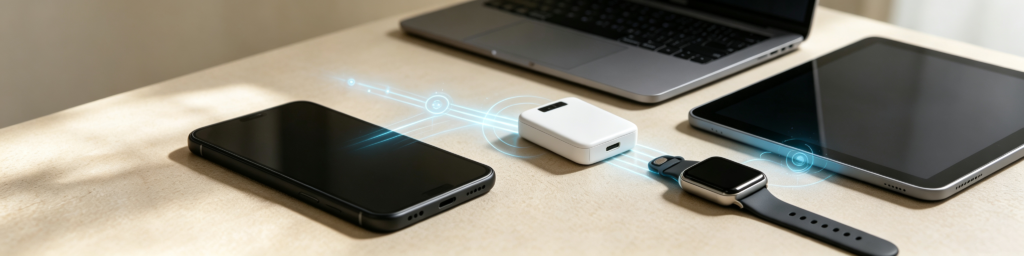
eSIM Overview: The Digital Transformation of Cellular Connectivity
From bulky early‑generation physical SIM cards to the mainstream Nano‑SIM of today, and the fast‑growing adoption of eSIM, SIM‑card technology has consistently evolved toward simpler, more efficient cellular‑network connectivity.
The most significant shift introduced by eSIM is the move from physical SIM handling to fully‑digital management. Instead of saving network‑identity credentials on a removable card, eSIM relies on on‑device chips, digital profiles and carrier backend authentication systems to finalize service provisioning and grant network access. Users are freed from frequent physical SIM swaps and can manage various network offerings with greater flexibility directly within their handset settings.
For regular end users, core eSIM perks include eliminating the need for a physical SIM, more adaptable network controls, and enhanced support for multi‑device setups, international travel and cross‑border connectivity. For the mobile industry, eSIM delivers a streamlined connectivity solution for tomorrow’s smart‑device ecosystem.
As smartphones, connected vehicles, wearables and IoT hardware keep expanding in popularity, demand for flexible and dependable connectivity will keep climbing. eSIM will not phase out conventional physical SIM cards overnight, yet it marks a critical transition away from hardware‑driven network management toward digital‑first connectivity.
Down the line, staying online will become even simpler and more seamless. eSIM functions as a foundational technology underpinning this industry transformation. Opt for LemonSIM and unlock a smarter connected experience.